IEnumerator 예제 코드 리뷰입니다.
이전글에서 이어집니다.
https://bulletprooves.tistory.com/105
[Unity] IEnumerator yield return null
프로그램이 "yield return null"을 만나면 다음 프레임으로 진행하기 전에 한 프레임을 기다립니다. IEnumerator는 Unity에서 코루틴 작성시 자주 보이는 interface(인터페이스)로,순서대로 값을 꺼내며, 현
bulletprooves.tistory.com
먼저, 예시 루틴 메서드 전체 코드 Snippet(스니펫)을 보겠습니다.
아래는 어느 토스트 메시지 UI 를 '띠용~' (펀치애니메이션? 이라고 할려나용) 연출을 위한 메서드입니다.
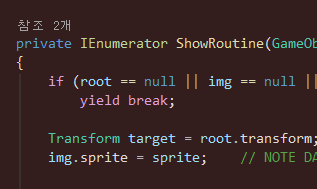
private IEnumerator ShowRoutine(GameObject root, Image img, CanvasGroup canvasGroup, Sprite sprite, bool isMine)
{
    if (root == null || img == null || canvasGroup == null)
        yield break;

    Transform target = root.transform;
    img.sprite = sprite;    // NOTE DAV: 스프라이트는 EmotePopupUI에서 참조

    target.localScale = startScale;
    canvasGroup.alpha = Const.IDENTITY;
    root.SetActive(true);

    // Open
    float elapsed = Const.ZEROF;

    while (elapsed < popDuration)
    {
        elapsed += Time.unscaledDeltaTime;
        float t = (popDuration > Const.ZEROF) ? Mathf.Clamp01(elapsed / popDuration) : Const.IDENTITY;

        if (t < Const.HALF)
        {
            float firstT = t / Const.HALF;
            target.localScale = Vector3.Lerp(startScale, overshootScale, firstT);
        }
        else
        {
            float secondT = (t - Const.HALF) / Const.HALF;
            target.localScale = Vector3.Lerp(overshootScale, Vector3.one, secondT);
        }

        yield return null;
    }

    target.localScale = Vector3.one;

    yield return new WaitForSecondsRealtime(displayDuration);

    // Close
    elapsed = Const.ZEROF;

    while (elapsed < closeDuration)
    {
        elapsed += Time.unscaledDeltaTime;
        float t = closeDuration > Const.ZEROF ? Mathf.Clamp01(elapsed / closeDuration) : Const.IDENTITY;

        canvasGroup.alpha = Mathf.Lerp(Const.IDENTITY, Const.ZEROF, t);
        target.localScale = Vector3.Lerp(Vector3.one, closeScale, t);

        yield return null;
    }

    root.SetActive(false);
    target.localScale = Vector3.one;
    canvasGroup.alpha = Const.IDENTITY;

    if (isMine)
        _myCoroutine = null;
    else
        _otherCoroutine = null;
}
어디선가 아래처럼 실행했다고 해봅시다.
_myCoroutine = StartCoroutine(ShowRoutine(root, img, canvasGroup, sprite, true));
그럼 ShowRoutine(어쩌구) 호출은 iteratror(이터레이터) 객체를 만들고,
StartCoroutine() 은 Unity 가 그 객체를 실행합니다.
yield 까지 코드를 진행하게 됩니다.
elapsed += Time.unscaledDeltaTime;로 시간의 경과를 더합니다. (unscaled 라서 시간배율 영향을 받지 않아용~)
로컬변수 t 는 UI를 여는 과정의 진행률이라, 첫번째에서 크기 커졌다가 두번째에서 원래 크기로 돌아옵니다.
t = 0          t = 0.5           t = 1
startScale → overshootScale → Vector3.one
크기가 적용 되고 나면 아래에서 멈춥니다.
yield return null;☆ 중요!
yield 에서 While 문이 끝나는 것도 아니고, 메서드가 종료된 것도 아닙니다!
현재 실행 위치랑 elapsed, target 같은 변수 상태도 유지한채 Unity에게 제어를 돌려주는 겁니다.
다음 프레임에서 Unity 가 실행을 재개하면 yield 다음부터 이어집니다.
위는 While 반복문 맨 끝에 도달했으니 조건을 다시 확인하고 반복문을 돌겠습니다.
target.localScale = Vector3.one;

yield return new WaitForSecondsRealtime(displayDuration);
저는 displayDuration 을 2.0f 로 맞춰놨기 때문에, 여기서 약 2초를 기다리겠습니다.
이번에는 null 이 아닌, 대기 객체 new WaitForSecondsRealtime(머시기) 를 내놓았습니다.
즉, Unity 는 이 객체를 해석해서 2초만큼 기다리고 실행을 이어갈 것입니다.
쭉 쭉 이어가다가, 같은 방식으로 yield return null 로 다음 프레임까지 실행을 넘깁니다.
if (isMine)
_myCoroutine = null;
else
_otherCoroutine = null;
와 같이 닫기가 끝나면 토스트 메시지 UI 를 닫는 마무리 작업을 하고,
해당 코루틴 참조를 비웁니다.
메서드 끝에 도달하면 이터레이터 실행도 종료입니다.
아래는 주석을 추가한 메서드 본문입니다.
private IEnumerator ShowRoutine(GameObject root, Image img, CanvasGroup canvasGroup, Sprite sprite, bool isMine)
{
    // 필요한 객체가 없으면 이터레이터 종료! null 방어 코드
    if (root == null || img == null || canvasGroup == null)
        yield break;


    // 첫 yield를 만날 때까지 아래 코드는 같은 프레임에서 연속 실행
    Transform target = root.transform;
    img.sprite = sprite; // NOTE DAV: 스프라이트는 EmotePopupUI에서 참조
    target.localScale = startScale;
    canvasGroup.alpha = Const.IDENTITY;
    root.SetActive(true);

    // Open, 중요: yield로 실행을 넘겨도 elapsed와 실행 위치는 유지
    float elapsed = Const.ZEROF;

    while (elapsed < popDuration)
    {
        // 시간 배율의 영향을 받지 않는 프레임 간 시간을 누적
        elapsed += Time.unscaledDeltaTime;
        float t = (popDuration > Const.ZEROF) ? Mathf.Clamp01(elapsed / popDuration) : Const.IDENTITY;

        if (t < Const.HALF)
        {
            // 첫번째: 시작 크기에서 최대 크기까지 확대한다.
            float firstT = t / Const.HALF;
            target.localScale = Vector3.Lerp(startScale, overshootScale, firstT);
        }
        else
        {
            // 두번째: 최대 크기에서 기본 크기로 돌아온다.
            float secondT = (t - Const.HALF) / Const.HALF;
            target.localScale = Vector3.Lerp(overshootScale, Vector3.one, secondT);
        }

        // Unity에 제어를 돌려주고 다음 프레임에 이 지점 다음부터 이어간다.
        // 반복문 끝이므로 재개 후 while 조건을 다시 검사한다.
        yield return null;
    }

    target.localScale = Vector3.one;

    // 대기 객체를 Unity 에 전달
    // Unity는 시간 배율과 무관하게 지정된 시간이 지난 뒤 실행을 재개
    yield return new WaitForSecondsRealtime(displayDuration);

    // Close: 대기 이후 이 지점부터 이어서 실행
    elapsed = Const.ZEROF;

    while (elapsed < closeDuration)
    {
        elapsed += Time.unscaledDeltaTime;
        float t = closeDuration > Const.ZEROF ? Mathf.Clamp01(elapsed / closeDuration) : Const.IDENTITY;

        canvasGroup.alpha = Mathf.Lerp(Const.IDENTITY, Const.ZEROF, t);
        target.localScale = Vector3.Lerp(Vector3.one, closeScale, t);

        // 닫기 애니메이션도 한 프레임씩 나누어 진행
        yield return null;
    }

    // 정상적으로 끝까지 실행되면 숨긴 뒤 다음 표시를 위한 상태 복구
    root.SetActive(false);
    target.localScale = Vector3.one;
    canvasGroup.alpha = Const.IDENTITY;

    // 보관 중인 코루틴 참조를 비우기 + 이터레이터는 메서드 끝에서 종료
    if (isMine)
        _myCoroutine = null;
    else
        _otherCoroutine = null;
}
앙 기모링 입니다.
Σ(っ °Д °;)っ
'- Unity > 유니티' 카테고리의 다른 글
| [Unity] IEnumerator yield return null (0) | 2026.10.27 |
|---|---|
| [Unity] Localization csv 로 언어별 데이터 관리하기 (2) (0) | 2026.08.12 |
| [Unity] ExecuteAlways & ExecuteInEditMode (0) | 2026.07.21 |
| [Unity] Sprite Atlas (0) | 2026.07.16 |
| [Unity] Mesh - Quad 생성 (0) | 2026.07.01 |


